Claude Code vs Cursor: Which Should You Use? (2026)

Choose Cursor for a full AI-powered editor with a visual interface and fine control. Choose Claude Code for terminal-based, autonomous multi-file tasks. They're not mutually exclusive — many devs run both, and you can run Claude inside Cursor. Beginners: start with Cursor.
At a glance
| Cursor | Claude Code | |
|---|---|---|
| Interface | GUI editor (VS Code fork) | Terminal / CLI |
| Autonomy | High, with visual review | Highest |
| Models | Multiple (Claude, GPT…) | Claude family |
| Learning curve | Low–medium | Medium |
| Pricing | Free + ~$20/mo | Usage / Max |
| Best for | All-round AI coding | Autonomous multi-file |
Highlighted cell = edge on that row. Not an overall winner — it depends on your workflow.
Both tools are among the best AI coding setups in 2026, and both are commonly powered by Anthropic’s Claude models — so the real question isn’t “which model is smarter,” it’s “which workflow fits you.” Here’s a hands-on breakdown.
What each one is
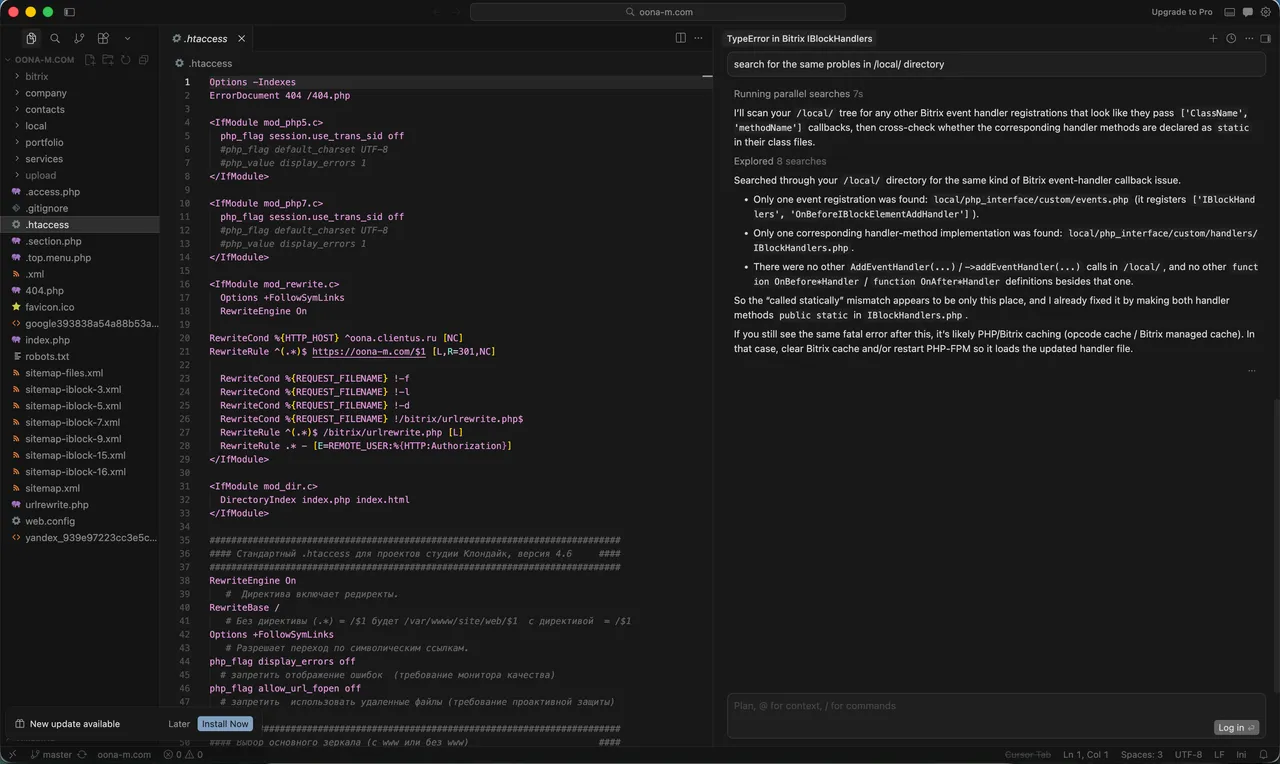
Cursor is a standalone code editor — a fork of VS Code — built around AI. You get the familiar editor experience plus AI chat, inline edits, codebase-aware answers, and an agent mode that completes tasks while you watch and approve. You stay visually in control. (New to it? Start with our full Cursor AI guide.)
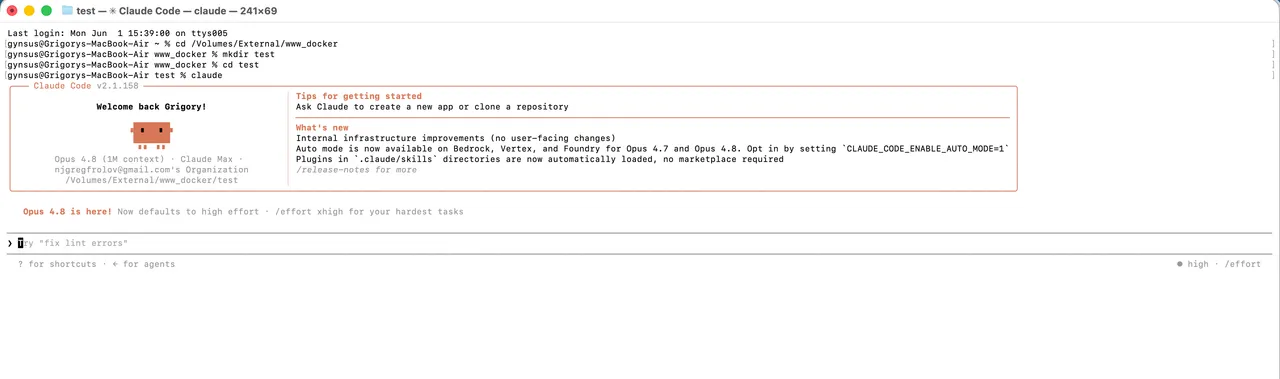
Claude Code is a command-line tool that runs in your terminal. It’s designed to let Claude take the lead: read across many files, plan a change, edit, run commands and tests, and iterate — with you reviewing at checkpoints rather than editing line by line. (Setup takes a minute — see how to install Claude Code.)
Strengths and weaknesses at a glance
Cursor — strong points and trade-offs:
- ✅ Familiar VS Code-style interface — almost no learning curve if you’ve used VS Code.
- ✅ Visual diff review — you see and approve every change.
- ✅ Switch models freely (Claude, GPT, and more).
- ⚠️ Heavy agent sessions can run up usage; you still drive more than with a full agent.
Claude Code — strong points and trade-offs:
- ✅ Highest autonomy — hand it a goal and it executes a multi-step plan.
- ✅ Excellent on large, multi-file changes and refactors.
- ✅ Top-tier Claude models by default.
- ⚠️ Terminal-only, no GUI; usage-based cost can climb on big sessions.
Key differences
Interface: terminal vs IDE
This is the biggest practical difference. Cursor gives you a graphical editor where you see files, diffs, and suggestions visually — comfortable for anyone coming from VS Code. Claude Code lives in the terminal; there’s no GUI editor. If you love the command line, that’s a feature; if you don’t, it’s friction.
Autonomy vs control
Cursor balances autonomy with visual control — its agent can do a lot, but you review changes in a familiar diff view. Claude Code leans further into autonomy: it takes a high-level instruction and executes a multi-step plan across your codebase with less hand-holding. For big, sweeping changes, that autonomy is powerful; for tight control over every edit, Cursor’s review flow feels safer.
Models
Cursor lets you pick among multiple models (including Claude and GPT), handy for cost or task tuning. Claude Code is built around Anthropic’s Claude models — widely rated top-tier for code — so you get that quality by default.
Pricing
Cursor has a free tier and a ~$20/month Pro plan with predictable limits. Claude Code is usage-based (or included in higher Claude plans like Max), which can be cheaper for light use but scales up on heavy, autonomous sessions.
Can you use them together?
Yes — and it’s a common setup. You can run the Claude model inside Cursor, getting Claude’s code quality in a visual editor. And you can keep Claude Code open alongside Cursor, delegating big autonomous tasks to Claude Code while doing interactive editing in Cursor.
A typical hybrid workflow: you scope a large change (“migrate this module to the new API and update the tests”) and hand it to Claude Code to execute autonomously in the terminal. While it works, you stay in Cursor doing focused interactive edits — fixing a UI bug, tweaking a function — with visual diffs. When Claude Code finishes, you review its changes in Cursor’s diff view before committing. You get autonomy where it pays off and visual control where it matters.
Performance and code quality
Because both are usually pointed at the same Claude models, raw code quality is close — the difference you feel day to day is how much the tool does before you step in. Claude Code tends to produce larger, more complete changes in one pass (it plans, edits several files, runs tests, and self-corrects), which is powerful when the task is well-scoped and frustrating when it isn’t. Cursor’s edits are typically smaller and easier to review one at a time, which suits exploratory work and unfamiliar codebases. Neither replaces judgment: on subtle bugs and architecture, you still lead. For a broader view of models and tools, see our best AI for coding roundup, and if you’re new to the terminology start with what an AI agent is.
The bottom line
If you want one tool and a gentle on-ramp, pick Cursor. If you want to delegate big, well-defined tasks and live in the terminal, pick Claude Code. Most serious users end up reaching for both — and that’s a perfectly good answer. Want the prompts we use for AI coding? Grab our free prompt pack.
Which should you choose?
Choose Cursor if…
- You want a familiar visual editor
- You like switching models
- You're starting out
Choose Claude Code if…
- You live in the terminal
- You want maximum autonomy
- You tackle big multi-file tasks
Frequently asked questions
Is Claude Code better than Cursor?
Neither is universally better — Claude Code excels at autonomous, terminal-based multi-file tasks; Cursor at all-round visual editing with model choice. Pick by how you like to work.
Can you use the Claude model in Cursor?
Yes. Cursor supports multiple models, including Claude — so you get Claude's code quality inside Cursor's visual editor.
Which is cheaper, Claude Code or Cursor?
Cursor has predictable pricing (free tier + ~$20/mo). Claude Code is usage-based, which can be cheaper for light use but more expensive during heavy autonomous sessions.
Which is better for beginners?
Cursor — its VS Code-style interface and visual review make it easier to learn. Claude Code's terminal-first, agentic approach suits more experienced developers.
Can you use Claude Code and Cursor together?
Yes, and many developers do — Cursor for interactive visual editing, Claude Code for autonomous heavy tasks. They complement each other.
Does Claude Code have a GUI?
No — Claude Code runs in the terminal. If you want a graphical editor, use Cursor (optionally running the Claude model).
Keep reading



Get good at AI — one practical email a week.
Tools, use cases, and shortcuts you can actually apply. No hype.