Hedra AI: What It Is and How to Use It (2026 Review)
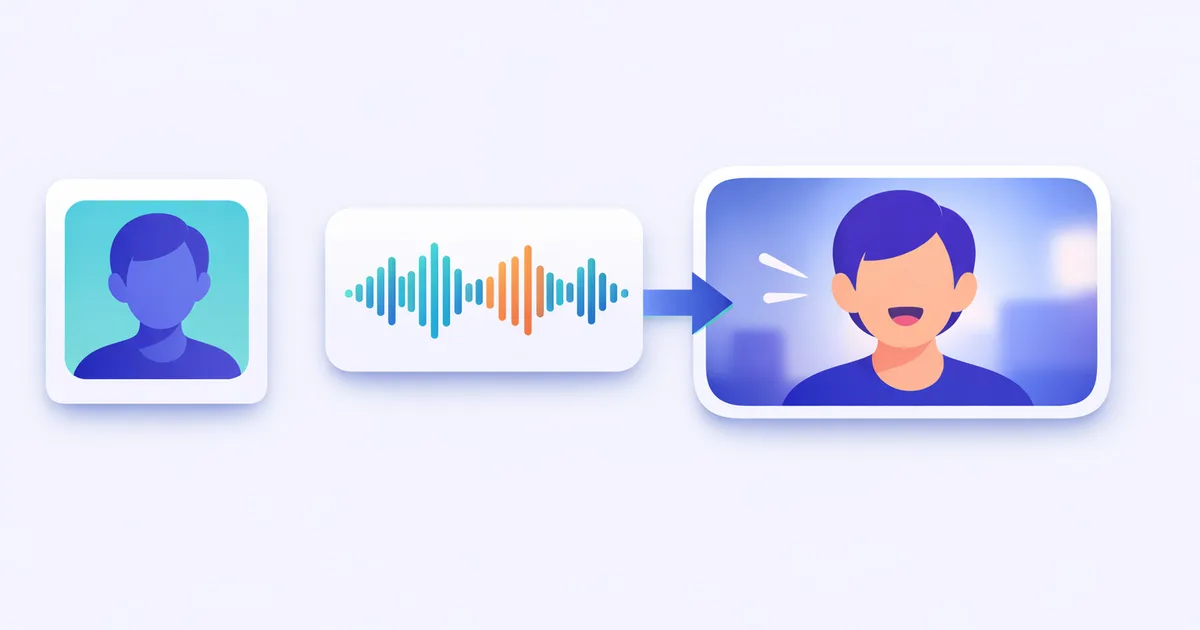
Hedra AI is one of the cleanest ways to turn a single photo plus a voice or script into a talking, expressive character video. Its Character-3 model nails lip-sync and facial micro-expression better than most rivals. The credit billing and short free tier are the catch — match a plan to your output.
Pricing
| Plan tier | Roughly who it's for | What you get |
|---|---|---|
| Free | Trying it out | Small credit pool, watermark, no commercial use, slower speed |
| Basic (entry) | Solo creators starting paid work | Commercial rights, no watermark, modest monthly credits |
| Creator (mid) | Regular social / faceless video | Larger credit pool, higher resolution, all models |
| Professional / Enterprise | Heavy users, teams, agencies | Large credit pool, priority speed, team options |
Most talking-avatar tools either look stiff or lock you into a small set of stock presenters. Hedra AI takes a different route: feed it any photo plus a voice or script, and its Character-3 model animates that exact face with lip-sync and expression. We ran it on real photos and generated voices to see how natural the result holds up. Here’s what it is, how to use it, what it costs, and where it falls short.
What is Hedra AI?
Hedra AI is an AI talking-avatar and character-video platform. You start from a single image — a photo, an illustration, a generated character — add audio or a text script, and Hedra produces a short video of that character speaking, singing, or reacting. The face moves with synced lips, blinks, eye shifts, and subtle head motion rather than a flat moving mouth.
The engine behind this is the Character-3 model, which Hedra describes as an omnimodal system: it reasons across image, text, and audio together instead of stitching them separately (Hedra, 2026). In practice, the model reads the audio waveform and uses it as the main driver of facial movement. That’s the core reason its avatars clear the “uncanny” stiffness that sinks a lot of competing tools — the whole face responds to the sound, not just the jaw.
Everything happens inside Hedra Studio, a single browser workspace that combines image, audio, and video generation. You can generate or upload a character image, generate or record the voice, and produce the final clip without leaving the page.
How to use Hedra AI
Getting from a photo to a talking clip follows a short loop:
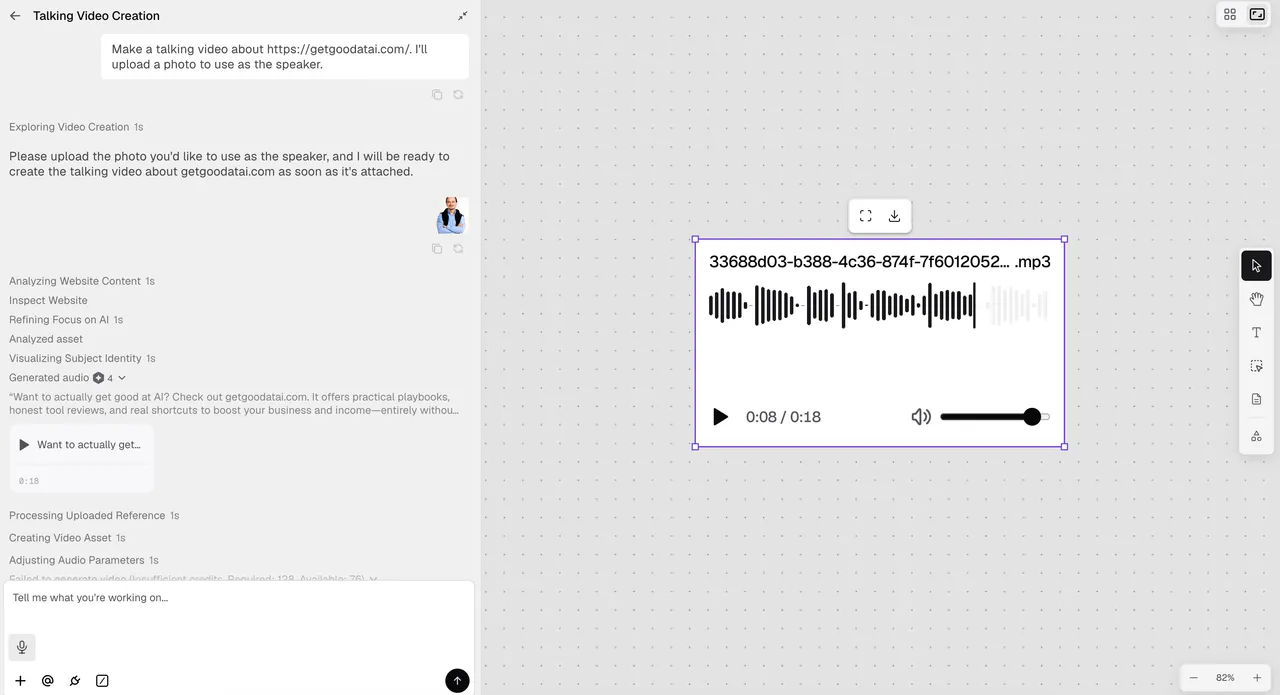
- Sign up and open Hedra Studio. Go to hedra.com and create an account. It runs in the browser, no install, and a free plan lets you test with limited credits.
- Add your character image. Upload a photo or illustration of the face you want to animate, or generate one inside the studio. A clean, front-facing, well-lit image gives the best result.
- Add the voice or script. You have four routes: type a script and generate speech with the built-in text-to-speech voices, upload your own audio file, record directly in the browser, or pull from a library. Clear audio drives cleaner lip-sync.
- Set length and options. Choose your clip length and any style or resolution options your plan allows. Credits are charged by the length of video you generate, so a 10-second clip costs for 10 seconds, not a full minute.
- Generate. Hedra runs Character-3 over your inputs. Most short clips (roughly 10–30 seconds) finish in a couple of minutes.
- Review and export. Watch the result, regenerate if the timing or expression is off, then export. Paid plans download as watermark-free MP4 with commercial rights.
That’s the whole workflow: image → audio or script → generate → export. Because you’re animating one still rather than directing a full scene, the time from idea to a usable talking clip is short.
Key features
- Talking avatars from one image — animate any photo or illustration into a speaking character, no filming and no stock presenter.
- Character-3 expressiveness — the model predicts blinks, eye movement, and head tilts from the audio, so the whole face acts, not just the mouth.
- Audio-to-video lip-sync — drive the animation from uploaded audio, a recording, or generated speech, with mouth shapes matched to the sound.
- Built-in voice generation — text-to-speech voices let you go from a written script straight to a voiced video without a separate tool.
- Multilingual support — 140+ languages with mouth movement that adjusts to the language, useful for localizing one video into many (Hedra, 2026).
- Longer talking-head video — Character-3 supports multi-minute clips, well past the old 60-second cap, for full scripts and explainers.
- HD export, no watermark on paid plans — download clean MP4 up to 1080p (higher on premium modes), with commercial rights on paid tiers.
If you want a feel for prompt-driven image generation before you build a character, our Leonardo AI review is a useful warm-up on producing a clean source image to animate.
Hedra AI pricing
Hedra AI uses subscription tiers plus a credit system, and the exact prices and credit amounts change — so always confirm on the official pricing page (we checked it in 2026). Rather than quote numbers that may already be stale, here’s how the structure works.
You pick a monthly plan that grants a fixed pool of credits, and credits are spent based on the length of video you generate rather than per project — a short clip costs less than a long one. The free plan gives a small pool but watermarks output, runs slower at busy times, and does not allow commercial use. The first paid tier (Basic) is the entry point for client or channel work: it removes the watermark and adds commercial rights. Higher tiers (Creator and Professional) grant much larger credit pools, higher resolution, and faster generation, with Enterprise for teams.
The key catch is the same as most credit tools: monthly subscription credits do not roll over — they reset each billing cycle. Credits bought as separate top-up packs generally don’t expire, but your plan’s monthly allotment does.
| Plan tier | Roughly who it’s for | What you get |
|---|---|---|
| Free | Trying it out | Small credit pool, watermark, no commercial use, slower speed |
| Basic (entry) | Solo creators starting paid work | Commercial rights, no watermark, modest monthly credits |
| Creator (mid) | Regular social / faceless video | Larger credit pool, higher resolution, all models |
| Professional / Enterprise | Heavy users, teams, agencies | Large credit pool, priority speed, team options |
The practical advice: estimate how many minutes of finished video you’ll make per month, then pick the smallest plan that covers it. Because credits expire each cycle, an oversized plan wastes money and an undersized one leaves you topping up.
Best use cases
- Faceless YouTube channels — put a consistent on-screen presenter in front of a script without ever filming yourself.
- Social and short-form video — quick talking-head clips for Reels, TikTok, and Shorts from a single image and a voiceover.
- Marketing and ads — voiced product or brand spokesperson videos, localized into multiple languages from one source.
- Education and training — turn lesson scripts into a friendly talking instructor for courses and onboarding.
- Personalized outreach — voiced avatar messages at a scale that live recording can’t match.
Tips for getting better results
A few habits that improved our output noticeably:
- Start with a clean image. A sharp, front-facing, evenly lit face produces far better animation than a busy or low-resolution one.
- Use clear audio. Crisp speech with little background noise gives the model cleaner cues for lip-sync and expression.
- Keep clips focused. Break a long script into shorter segments; it’s easier to regenerate a weak 20-second section than a whole five-minute take.
- Watch your credit cycle. Since monthly credits don’t roll over, batch your generations rather than letting the pool reset unused.
- Match resolution to the platform. Don’t burn premium-resolution credits on a clip that ships to a feed that compresses it anyway.
Who is Hedra AI for?
Hedra is a strong fit for faceless YouTube creators, social marketers, educators, and small teams who need a believable person on screen without a camera, a studio, or a hired presenter. If your work is built on talking-head content — explainers, ads, lessons, updates — the Character-3 expressiveness saves real time and looks more natural than most rivals. It’s a weaker fit if you need full-body movement, complex multi-character scenes, or cinematic camera work; those still call for dedicated video tools. For its core job — turning a photo and a voice into an expressive talking character — it’s one of the better tools we’ve tested this year.
Hedra AI alternatives
- HeyGen — the best-known avatar platform, strong on polished stock presenters and business templates; less flexible for animating an arbitrary photo.
- Synthesia — enterprise-focused training and corporate video with a large stock-avatar library and tight brand controls.
- D-ID — a long-running talking-photo tool, good for simple animated portraits and conversational agents.
- Higgsfield AI — not avatar-first, but the tool to reach for when you want cinematic camera motion rather than a talking head.
See our full library of tool reviews to compare options side by side.
Is Hedra AI worth it?
For creators who need an expressive talking character from a single image, yes — Character-3’s lip-sync and whole-face animation genuinely look a step above most rivals, and having image, audio, and video in one studio is convenient. The honest catch is the billing: credits don’t roll over, the free tier is watermarked and non-commercial, and prices move, so the value depends on matching a plan to your real output. Our rule after testing: start on the free tier to judge quality, move to the smallest paid plan that covers a typical month, and batch generations so credits don’t expire. Treated that way, Hedra earns its place in a creator’s stack.
Want more hands-on AI tool breakdowns like this in your inbox? Subscribe for new reviews and guides.
Pros & cons
Pros
- Character-3 produces convincing lip-sync and whole-face expression, not just a moving mouth
- One studio handles image, audio, and video — generate or upload each part in place
- Built-in text-to-speech and 140+ language support for fast localization
- Longer talking-head videos than the old 60-second cap, up to several minutes
Cons
- Credit-based billing; monthly subscription credits don't roll over
- Free plan is watermarked, slower, and not for commercial use
- Full body and complex scenes are weaker than dedicated cinematic video tools
- Pricing and credit amounts shift — check the current page before committing
Frequently asked questions
What is Hedra AI?
Hedra AI is an AI talking-avatar and character-video platform. You give it an image plus a voice track or a text script, and its Character-3 model animates the face with lip-sync, blinks, and head motion to produce a short video of the character speaking or singing.
Is Hedra AI free?
Yes, there's a free plan with a small monthly credit pool, but it watermarks output, runs slower, and bans commercial use. For client work or social channels you'll need a paid plan. Check the current pricing page, since credit amounts change.
How much does Hedra AI cost?
Hedra uses paid subscription tiers — commonly an entry plan around the low double digits per month, a mid Creator plan, and a higher Professional plan, plus Enterprise. Each grants a monthly credit pool. Verify exact prices on hedra.com/pricing, as they shift.
How does Hedra AI work?
You upload or generate a character image, add audio (record, upload, or generate speech from a script), then generate. The Character-3 model reads the audio waveform and drives matching mouth shapes, expressions, and motion. You review and export the clip as MP4.
What is Character-3 in Hedra?
Character-3 is Hedra's current model. It treats audio as the main driver of movement, predicting not just lip shapes but micro-expressions like blinks and head tilts. That whole-face animation is why its talking avatars look less stiff than many competitors.
Do Hedra AI credits roll over?
No. Monthly subscription credits reset at the start of each billing cycle and do not carry over. Credits bought as separate top-up packs generally don't expire, but your plan's monthly allotment does, so batch your generations.
What resolution and length does Hedra support?
Paid plans export without a watermark at up to 1080p, with higher resolution on premium modes; the free tier is capped lower. Character-3 supports longer talking-head videos than the old 60-second limit, into the multi-minute range on suitable plans.
Who should use Hedra AI?
Faceless YouTube creators, social marketers, educators, and small teams who need a person on screen without filming one. It's a weaker fit if you need full-body action, complex multi-character scenes, or cinematic camera work — dedicated video tools handle those better.
Keep reading

Get good at AI — one practical email a week.
Tools, use cases, and shortcuts you can actually apply. No hype.